The Best Student Laptop
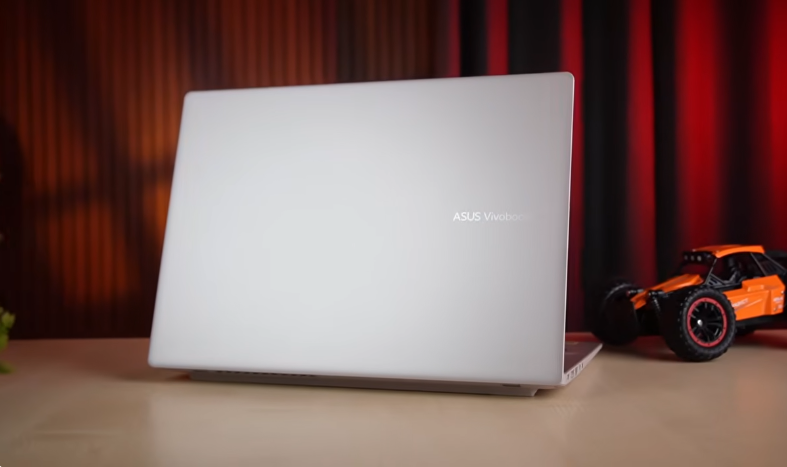
Table of Contents
Introduction :
We have brought another powerful laptop from the VivoBook series for you guys. It has an Ultra 5 225H processor. We have the other laptop in front of us. That’s why we are not opening the box today. Let it be. What else can you do? It’s not in good condition.
Box Content :
This is the charging option. The power cord is 3-pin. This is the normal plug. Type C adapter is also available. Output is 65 watts. This is the laptop.
We have a golden colour. It comes in three colours: silver, black, and gold. Not proper golden but it gives you a gold finish. Tell us how much you liked the golden finish. The difference is in the processor.
Design & Build:
So, we won’t cover the design, build, and other things. If everything is the same, then you will get an idea. We will tell you a little bit, but we are not saying this.
The laptop is the same as before. It is cute and minimalistic. It has the branding of Asus Vivo. You can see the back side. A similar type of colours are used, but it is in a plastic build. It is fully polycarbonate.
And it is the same from the back and the front as well. We get to see the vents on this side, and here are the exhaust vents. We get two down-firing speakers and rubber grips. We get one here and one here. But here is a plastic part to elevate it. So when you put it on the table, the airflow will be maintained because it is a little uplifted, which is a good thing. Keep this thing in mind in the design.
The build quality is also good. It opens easily with one hand. We liked the hinge quality as well. You won’t face any issues. It wobbles a little but not much. Overall, the build quality is good. According to a 14-inch Ultrabook-type laptop. But still, we would say that the price point could have been metal build. Asus also offers this in many laptops, but they didn’t offer it in this one. We don’t know why. But the polycarbonate build is also good. The display is like this.
Interior :
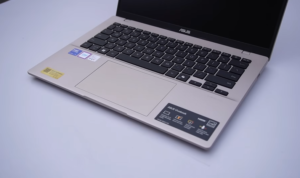
You can rotate it up to 180 degrees. The keyboard is black in color and gives a minimalistic professional feel to the interior. The trackpad is a big size, and it has stickers. Overall, it fits in the hand. So, if you want a handy, compact laptop, you can use it anywhere. And it’s not heavy.
Do you want to see? Let’s show it to you. So, the weight of your laptop is around 1.5 kg, and with the charger, it weighs around 1.9 kg. So, it is not as heavy as 1.9 kg. We liked the trackpad a lot. It has all the gestures supported, and it is fun to use. It has good feedback, and it has smart gesture support. Swipe from the left side, and the volume decreases. Swipe from the middle, and if you are watching a video, swiping up and down from the right side controls the brightness, and there are many other things in it. The keyboard has a 3-level brightness. The white backlight is very good. Overall, it will be good to use. The feedback of the keyboard is good. We like the sound that comes from typing.
And we liked the keyboard of this keyboard for typing. If you like a minimalistic, low-key travel keyboard, then. If you like mechanical, then it’s a different concept. It won’t feel like that. But it’s good as a normal keyboard. There are many shortcuts on the Fn keys, and we get a dedicated copilot key on it.
Ports :
And along with this, the ports are also filled with it. On the left side, we have two USB types. Type-C 3.2 Gen 1 ports are available, and it is fully functional. Power delivery is supported, and display output is also supported. An HDMI port is also available. But it supports Display output up to 4K60. And it was also supported by Type-C. Other than that, a USB Type-A 3.2 Gen 1 port is also available, and a headphone mic jack combo is also given.
But on the right side, there is only one port, a USB Type-A 3.2 Gen 1 port. If there were a slot for an SD card, then it would have been amazing. But they didn’t give it. We don’t know why. By the way, that port is not coming in the laptop these days. And yes, the Type-C port has easy charging support. It doesn’t mean that you can just you can charge it with any 3rd party adapter, like a 65V GAN charger or a 20-30V adapter at home. You can also charge it with a power bank. It’s like a MacBook. It would be great if it were available in Windows. It’s a great seat. Talking about the AI features, all the normal AI features are available in this laptop.
Now, Intel’s Ultra Series 2 has a good AI performance because it has an NPU named Intel AI Boost, which gives you 13 tops of AI performance. So, if you work on an on-device AI, you can expect better performance than on a non-AI laptop. We are not talking about gaming laptops here.
It supports live captions, Windows Studio effects, Paint, and background erasing. It has 2-3 additional features, such as Story Cube. There is a feature to hit to do, but we don’t get all that in this. But in the Ryzen AI variant, we get all that because it is a co-pilot plus PC, and it has a performance of 50 tops, and this has 13 tops. But wait, we will tell you that there is a difference in performance, so you will understand better what to choose. Rest, the Asus app is also available in this, which has many more features. You get a lot of settings in this, which you can change.
Display :
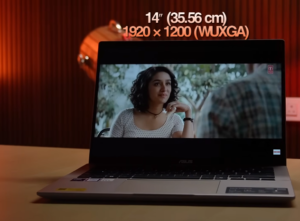
Now comes the display, which we get in this properly. See the display specifications. There is a feature to hit to do, but we don’t get all that in this. But in the Ryzen AI variant, we get all that because it is a co-pilot plus PC, and it has a performance of 50 tops, and this has 13 tops. But wait, we will tell you that there is a difference in performance, so you will understand better what to choose. Rest, the Asus app is also available in this, which has many more features. You get a lot of settings in this, which you can change. Now comes the display, which we get in this properly.
The display is 1200p WXGA, which is not too strong, but we liked it in terms of resolution. The bezels are also good, not too much. 87% screen to body ratio is available. According to indoor brightness is good because we get 300 nits, but it may be a little less outdoors. And the colour accuracy display does not 45% NTSC colour gamut in it. So it is a normal display as you will get in every laptop. You have an IPS panel, the viewing angles are good, you will not see ghosts, but yes, you will see a little in terms of colours.
If you work with colour accuracy, and yes, it has 60 Hz, this is a drawback for many people, because in today’s date, 90 Hz should come according to me, but Asus says no, we will not give it, we will work on 60 Hz only. This was a thing 2-3 years ago, but now the trend should change. We have a 1080p FHD webcam and a physical privacy shutter. We also get face unlock support. It will open the face and has an IR sensor with Windows Hello support. The quality of the webcam is of Mic BC, so let’s see how it is.
Tell us according to 1080p. We think it is good. And we forgot to tell you about the speakers. It has 2 down-firing speakers of 2 watts. 2 of 2.
The sound is good. The speakers are of Sonic Master, and they are of good quality. The bass is light, and the loudness is good. So if you want to listen to music, you can listen to it. You can enjoy it. Don’t buy anything else. The audience is decent. We forgot to tell you. We were joking. We had taught this specification for this portion. See the read and write speed of the SSD according to the gen 4. It is not very maxed out, but it is very good. Your work will go well. And the SSD is upgradable. You can install 1 TB of SSD in the slot that we get.
And for RAM, we have two slots, one slot is 16GB RAM, and the other slot is 32GB RAM. Now, let’s see the performance of this ultra 225H processor. First, let’s look at the benchmarks. You can check the score of Cinebench R23 and Cinebench R24. You can also check the score of the Geekbench AI benchmark. You can also check the score of the Blender benchmark. You can also check the score of PC Mark 10.
Geekbench 6 score is decent. Geekbench 6 battery score is also decent. You will get a strong performance on your own battery. This was the real motive of the Ultra Series 2. Now the Panther Lake processors have arrived. But now you will get the Ultra Series 2 in the market. It is more spread. So you will get a discount on it. It may come after some time. According to pricing, it is still getting a very good price.
But now you will see the difference in performance between the variants we have reviewed. This processor is very good, it is giving us performance like Ryzen 7. So if you want to compare in terms of performance, it’s not that much of a difference. It’s better if you want better performance. But if you want more AI performance, you get more in the Ryzen AI processor. But we don’t think that the AI processor will be doing as much work as the on-device processor. If you are using AI more on your laptop, then you have to go for Ryzen AI because it is a copilot plus PC and it has 50 tops.
It has 13 tops, so it might be better if you compare the AI work side by side. But whatever other work there is, whether it is video editing, coding, programming, multitasking, whatever it is, this processor does it all without any problem. If you are a student, you can do all the normal things like coding, programming, browsing, presentations, etc. If you want to do productivity, photo editing, thumbnail editing, etc., it can be done here. Video editing will be good here. We can recommend 4K editing up to 2-3 layers.
Not too high level, but normal level. And in 1080p, you can do high-level editing well. And your own battery will also be good. There is no problem with performance. Just the battery backup will be less. If you do heavy work, then it is obvious.
So overall, it is a productive laptop. You can do heavy work in it. CPU-intensive. You can’t do GPU-intensive. Although its iGPU is better than Ryzen. Here you can see the scores of both 3D Mark Time Spy. So we get a little better iGPU.
That’s why it’s getting gaming done. We’ll show you the game test now. But we won’t recommend it for GPU-intensive work. If you want to do beginner-level work, you can do it. But not for good level work. For that, you can prefer a gaming laptop or a dedicated graphics card.
Game Test :
That’s why it’s getting gaming done. We’ll show you the game test now. But we won’t recommend it for GPU-intensive work. If you want to do beginner-level work, you can do it. But not for good level work. For that, you can prefer a gaming laptop or a dedicated graphics card.
Now we’re showing you the game test. We’ll show you. So, first we tested CS2 on low preset, and the resolution was 1200p in all the games. And here you can see how the FPS is coming to us. By the way, the performance is coming quite well according to this laptop. Because it is a GPU-intensive game, and we get GPU and iGPU in it. So, 80-90 FPS is a good number. You will be able to enjoy smooth gameplay. You will get screen tearing, obviously, because it is a 60 Hz panel. But yes, you can do casual gaming.
Then we tested GTA 5 on the lowest preset of GTA 5, and we can see that it is doing great with 50-60 FPS, which is a good thing, and it is using TDP of 20-25W. So you can see the performance on low power. At least if you want to play GTA 5, then you can play it casually to have fun. We were saying that the performance is good on the battery as well, so we tested GTA 5 on the battery as well, and you can see that.
It’s around 50 FPS, but the power consumption has decreased a little. It’s consuming a little more than 18 FPS. But it’s okay, your game will run the same. So, you can play without a power adapter. The battery will blow up a little faster. That’s a different matter. The power consumption has increased.
Then we tested Valorant on high preset, and we were confident that our game would run well. You can see that the game is running well. Sometimes we are going up to 160, 150, 170 FPS, which is the FPS of the eSports level. And only 23-24W TDP is being used. But the temperature is also maintained around 60-65 degrees. So overall, you can do eSports gaming. Put a high refresh rate monitor. This laptop will give you a lot of fun. What more do you need? What more can you expect from a thin and light laptop?
Battery Life :
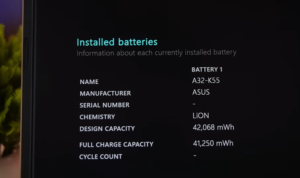
It has a 42Wh battery, which is not good according to the numbers. But it has good backup. It has good performance. It has less battery backup than the Ryzen one. It has 10 hours backup. But we have used it on 50% brightness and battery saver.
It can run for 6-7 hours or a maximum of 8 hours. It depends on how you work. But according to me, this backup is also good for normal type of people. Rest, you can see your use case. And it has easy charging support. So you can charge it with a power bank or any other adapter. So we don’t think there will be any problem.
So, according to this price range, you will get an IdeaPad Slim 5 from Lenovo. There is a Vivobook. You will get to see HP’s Omnibook.
And Apple’s MacBook, if you look at the performance and battery backup, is among the laptops in the thin and light segment. Now all these laptops are very good. We have also made a review of the Omnibook Ideapad Slim 5, the best-performing laptop in the market. Plus, the price it is coming with, it is delivering a strong performance on the battery as it used to be in MacBooks, but now it is also happening in Windows.
And it also has a decent battery backup. Plus, if you only wanted a thin and light machine, which is compact, lightweight, and light, casual gaming performance which we have seen that it does and it was also giving on battery gaming performance which was not possible before today for that power adapter had to be installed so you can prefer it but yes it does not have a lack like its display is 60hz it does not have OLED panel at this price you generally get some laptops.
You get OLED in the same way as in the Moto Book 60. This laptop is not metal built, it comes with a polycarbonate, which is not an issue, but it reduces the premiumness a little bit. So if all these things matter to you, then you have other laptops like MacBooks, etc., which are good options, but you will have to increase the price for that. You will get a good display, good speakers, a laptop will come in metal build, and a MacBook is premium.
We didn’t face any problem. According to performance, everything is good in this. So, see it according to you.