Lenovo IdeaTab Plus
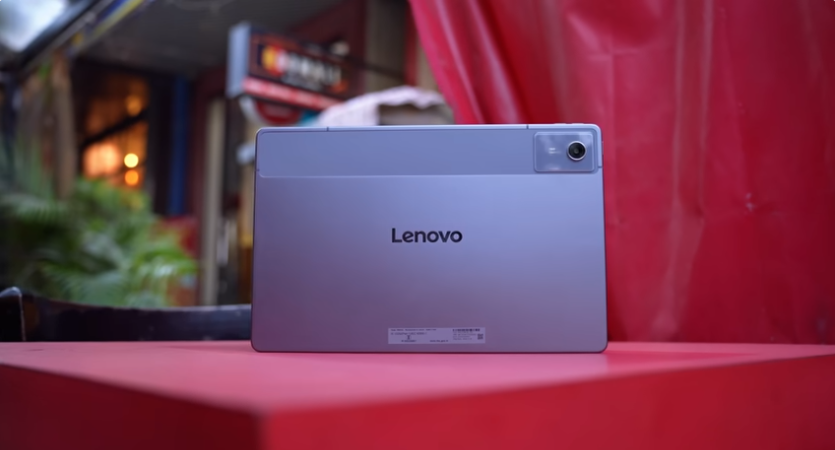
Table of Contents
Introduction:
Tablets around mid-range have finally started to launch. And the tablet we have today is the Lenovo Idea Tab Plus. And this tablet is priced at a mid-range price. And with this price, you get a stylus in the box, 5G plus Wi-Fi, and the base variant has 256 GB storage. So all these things are very exciting. But it’s not just exciting; there are shortcomings as well that we’ll cover.
Unboxing:
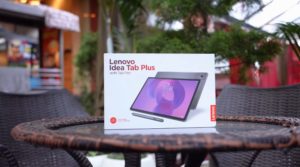
We’ll open the box. So we get a box with a tablet & a stylus printed on it. And we get a tablet in a white sheet.
Pricing & Variants:
And below it on the right side, there is a 45W adapter & Type C to Type C cable. And on one side, we get a stylus with 2 extra tips if you want to change them in the future. And finally, this is the tablet.
And below this, there is an Idea Tab, which is priced around mid-range. That also has 5G, but it’s small. And the battery is also small. Then there is an Idea Tab Pro, which doesn’t have 5G, but it targets performance. So they have put it in the middle of those 2 tablets.
Build & Design:
And the look of the tablet is similar to the Idea Tab. The entire frame is made of metal. And the camera portion is made of polycarbonate. There are antenna bands all over the frame. On this side, there is a power button, dual speakers, and Dolby Atmos branding, a volume rocker button on this side & 2 mics on top. And you get a SIM tray in which you can put 1 SIM & an SD card up to 2TB. So there is no problem with storage expansion. And on the bottom, there are Pogo pins for the folio case connection.
And they haven’t listed the folio case officially yet. You will get the 3rd-party folio cases very soon. There is no official information. On this side, there are 2 speakers & a USB Type-C 2.0 port. Yes, there is no display output or fast-speed data transfer. It is a normal Type-C port. According to us, there should have been one with display output. And this is also IP52 rated. Tablets usually come with this rating. The weight of the tablet is around 540g. Its thickness is 6.29mm. It’s quite long & wide. It’s a 12.1-inch tablet. But its in-hand feel is very comfortable.
Audio & Haptics:
And one thing that will be comfortable for your ears is its quad speakers. You get Dolby Atmos support here. And when you watch Dolby Atmos content on these quad speakers, you get Dolby Atmos settings in settings. You can turn it on. You get dynamic, movie & music modes in that. You can select according to your content. And content gives a really good experience with Dolby Atmos content. And it has loudspeakers as well.
Listen to a sample. It’s loud, you feel clarity, separation & there is a slight thump too. And one thing that is outstanding in this tablet is the haptic motors. We say that every tablet should have a Haptic motor. If a person is given a 5G tablet, one doesn’t need to keep it on ringing. Sometimes one can keep it on silent too. Lenovo heard that and said that they’ll give a motor in this. But the motor is very basic.
It’s a good type motor. It’s a basic motor that you can use for typing. If you get a call, you’ll get a notification for it. And it’s implemented in the UI too. If you increase or decrease the volume, you can feel the vibration, and in brightness too.
Display:
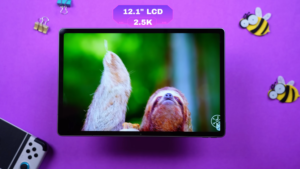
Now, coming on to the display. The display is 12.1 inches 2.5K LCD display. But it has a 90Hz refresh rate. According to us, it should have a 120Hz refresh rate. And we were seeing in its settings that you can’t change the refresh rate from 90Hz to 60Hz. For battery saving, etc. It runs on 90 only, and in the UI too, 90Hz was working fine.
The display supports 10-point multi-touch. And there is no information about the protection of the display. So be careful. The screen guard is not pre-applied out of the box. So make sure to get it applied. The resolution is 2560×1600 with a 16:10 aspect ratio. So it’s good for content viewing. And according to tablets, bezels are decent, it’s around 87.5%. And it has TUV Rhineland flicker-free & low blue light certification.
So if you’re using a lot of tablets, your eyes shouldn’t be harmed. And it has a glossy display, so fingerprints are visible on it. And we were testing the colour gamut, and it was good. It has 100% sRGB, 87% Adobe RGB, 90% P3. And we tested the brightness. We got a brightness of around 457 Nits normally. And if we test it on the outdoor mode with extra brightness turned on, we get a brightness of around 750 Nits. Which is good according to tablets. It feels good to use it indoors or outdoors.
And there is Widevine L1 support in multimedia. So you can watch content at maximum resolution on OTT. But there is no HDR or Dolby Vision on Netflix. And officially, there is no HDR or Dolby Vision support in this tablet. For example, if you run Costa Rica on YouTube, it runs on 1440P 60 Max. And it doesn’t show any HDR. Other than that, the colours are good. You will enjoy watching the content. The speakers also compliment it. And the contrast and colours are good.
Specifications :
Now let’s talk about the technical specs. MediaTek Dimensity 6300 was available in the IdeaTab. There is not much of an increment in this; it has 6400. And it has an octa-core processor, LPDDR4X RAM & UFS 2.2 storage. So you will get less read & write speed. And at this price point, you will get tablets with better specs. But its USP is that it has a stylus within the box, 5G & 256GB. Which doesn’t fall near this price point. Rest, this can vary from user to user. If you want more performance, or you want to do multimedia or day-to-day tasks. You can decide that.
Performance & Benchmarks:
Then we did benchmarks, and the score came around 5,78,000. These are the Geekbench 6 scores. OpenCL for GPU. And then Geekbench’s AI benchmark, which we did on the GPU, the Wild Life Extreme Stress Test was also tested. And the loop scores were decent. Because it is not a performance-centric tab & the stability is 99%. Then we also did the CPU throttle test. It took 15-30 minutes. The graph was entirely green. Because when there is no power draw or performance push, it remains cool. And the tablets are big, so they remain cool.
Sensors & Connectivity:
And in Sensors and connectivity, it has 14 5G bands. We used Jio’s SIM & it was working fine. And in connectivity, it has Wi-Fi 5 & Bluetooth version 5.2. According to us, it should have at least Wi-Fi 6. And in the Sensors app, we get 10 sensors in this. Accelerometer, ALS hall sensor, and other important ones are there. You don’t get gyro in this. If you want to do something like this while gaming, you won’t be able to do that in this.
Game Test:
We tested BGMI in gaming. We got extreme on smooth. We get 57-58 average FPS in this. And when we fight in the game, it drops to 35 FPS as well. Then we tested Call of Duty Mobile. It was showing high FPS on low. So we get the same 40 FPS experience. Average FPS is around 38-39. We tried Genshin Impact. We set 60 FPS on low settings. Then we got 38 average FPS. We kept 60 FPS on balanced in Wuthering Wastes also. And we got 30 average FPS. So it doesn’t target gaming as well. If you want to play casual games like the ones we showed you, or play Ludo, Candy Crush, Subway Surfer, etc.
You can play them easily. But it doesn’t target performance. While gaming, you get a dashboard with a lot of features. You can turn it on from the side. You get a screenshot feature. You get a screen recording feature as well. And you get an FPS counter at the bottom to see how many FPS you are actually getting.
OS & UI:
Then the operating system & user interface. When we opened the tablet out of the box, it came with Android 15 with ZUI 17. And the brand says, 2 years of major updates, and 4 years of security patches. But we won’t consider it one major update. Because now it has the Android 16 update. So it will get updates till Android 17. The security patches are quite good. And we noticed that Lenovo tablets don’t have bloatware.
But yes, it has bloatware now. As we saw, there are many applications. When we opened the tablet, it had BlockBlast, Fitbit, JigsawScape, Opera, Solitaire, and TEMU. Many applications were pre-installed. Yes, obviously, you can uninstall it. But you get them out of the box.
OS & UI Features:
Talking about UI features, we get a PC mode. This is one of our favourite features of Lenovo tablets. In this, you can connect the keyboard and mouse and use them like this. You can minimize, maximize, and open multiple windows.
It gives PC vibes. You can also set keyboard shortcuts in this. There are some for the system, multitasking, and apps. You can also do key mapping in Genshin Impact or car racing games. If you want to play externally with a device. You get a video call assistant that supports WhatsApp & Meet. You get the option of retouching.
More features can be added in the future. You get the option of split screen & floating window. 5 floating windows can be opened at a time. You can use the split screen like this if you want to do multitasking.
There is a feature of Smart Connect. In that, you can stream apps on the tablet or mirror the entire phone. You can transfer files. You get a clipboard feature & a share hub. You can drag & drop. You get a sidebar to open floating windows. There is a reading mode for students.
You get a colour effect for a warmer tone. There is a black & white effect if you want to read more. There are custom effects as well. There is a standby mode where you get a clock on the screen like this. It looks good on the table in standby mode. And it has a lift-to-wake mode. The screen will turn on if you lift the tablet.
You can customize the lock screen. There are shortcuts & wallpapers. If you tap on the navigation bar, you get the circle to search. That is a Gemini feature. There is a taskbar at the bottom.
That you can swipe up to open an application side by side like this. There are useful applications on this tablet. For example, there is a Joyful colour app. It’s great for kids who want to do colouring. You get a stylus, so you can do it with that. There is our script calculator for calculation. There is a Nebo app for note-taking. There is a Squid app for drawing & note-taking. It’s a great application to use this stylus.
Stylus:
Talking about the stylus, it is a 4096 pressure sensitivity stylus. It supports palm rejection & tilt detection. It also supports pressure sensitivity. You can’t charge it. It works on a Tetra A battery. You can see the battery information in the settings. It supports handwriting. You can convert it to text automatically if you don’t want to type.
You can set a shortcut. Like screenshots, easy jot, quick notes from the right corner. You can also enable or disable the sound of handwriting. Just like a pen makes a sound while writing on paper. On the side, you get a toolbox.
It has the easy jot feature, circle to search, partial screenshot, new note, etc. And there is very little latency. You won’t notice it in the overall day-to-day tasks. You can also stick the stylus at the back. If you are travelling with a tablet in your hand. You don’t have to keep it separate. Still, it can fall as it is through the magnet. But the magnet is very strong. Even if we shake it like this, the stylus moves a little, but it doesn’t fall.
AI Features:
You will also get some AI features. Like AI notes, where you can continue writing. You get a lot of styles in it. AI rewrite, AI summary. We have already told you about the circle search feature of Google Gemini.
Battery life:
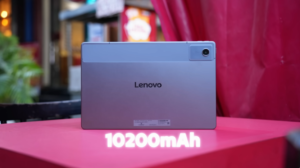
This tablet has a 10200mAh battery. If you compare it with the IdeaTab, it has 7040mAh. If you are concerned about the battery, you will get a bigger size. It has a 45W charger in the box. It takes around 1 hour, 10-20 minutes to fully charge. In our case, there is continuous testing where video, multimedia, audio, apps, and day-to-day tasks are running simultaneously. It gave 7 hours of continuous screen time.
So, if you run it on and off, you can get more than 1-2 days of backup. Depending upon your usage, like whether you are doing normal tasks, Multimedia, or gaming, it can go up and down. It won’t disappoint in terms of battery backup.
Camera Sample & Video Sample:
Then coming on to the Cameras, it has a 13MP rear camera, 8MP front camera. According to us, the Megapixels in the front camera should be higher. Because the front camera is more commonly used in tablets for video calling or when you are taking classes. Let us know your opinion. And if we record through the front camera, it records in 1080P 30.
And this is its quality. Let us walk slightly so that you can get an idea about the stabilization, and he is having tea. Let us know how you liked the quality. Our forehead is shining a lot, and if you talk on video calls or attend meetings, then you will get this type of quality. It records in 2K 30FPS in normal room lighting. We have not turned on any extra lighting. The mic is also being used on the tablet. Tell us how you liked the quality.
We took some photos with it. They are just like what you can expect from a tablet. You can share documents and text files. So, for that, we get decent photos. We also took some selfies with it and photos with the back camera as well. So, it captures decent images.
Conclusion:
This was the complete review of the Lenovo Idea Tab Plus. You will get this tablet for a mid-range price. There are many tablets around this price point, which you will get better performance. If your main goal is a big display, Big battery, Stylus, 256GB storage around mid along with a stylus. Then, you can go for this. We showed you the performance.