The 240Hz OLED Ultrawide Gaming Monitor is a Beast
Table of Contents
Unboxing:
Here it comes, expensive. Oh, the tube fell. Yeah, level up! Have you seen Lenovo Legion’s laptop? Today, we have brought a monitor, which is also Ultra Wide QHD, WQHD, and OLED. Let’s open the box and see what the thing is. It’s 240 Hz.
We asked for a blade. It sells really well. We don’t know where to start with these big boxes. Where does it come from? Will it open from here? Will it open by itself? Oh, there is a lot of practice.
There is a lot of stuff inside this. First of all, it says, “Factory Calibrated Report.” We will check the calibrator, that is our job. There is a Type A to B cable, a Type C to C cable, an HDMI cable, and a DP cable. And a power cord, a bag that has a lot of books, which is useless. Oh, a white base stand.
This is the arm of the monitor, and the quality is very good. We think we should install a stand first. It is very easy to install a stand. It has a different alien-like design. There are screws here. These four screws will be attached here.
Look how beautiful it is, it’s all white from the back, leaning up and down, if you run it, it’s not running, according to which we have moved it forward and backward. This is the monitor, the display is coming, check it like this, it’s not working, it’s working, it’s alive, keep it aside, it’s alive, now we will do a little testing, play the game, then we will meet you, we will do a little satisfaction. The display is broken. Never say good things. There is negativity in the middle of enjoyment.
Intro:
So, Testing is done and on ultra wide. As you can see, while playing the game, it is fun to play the game. A monitor is good for productivity. Moreover, OLED is good, and the best thing about this monitor is that it is anti-glare. All the OLED monitors that we have tested on the channel were glossy. We will tell you everything here.
Build & Design:
Let’s start talking about it. This is a Legion monitor, so the build quality is very solid. Black, White, Black, and White combination is used here. You can see the branding of Legion on the back. There are vents all around. If you look at the side area, there are vents on the back.
Vents have a good role in OLED monitors because when OLED is on, it gets hot from the inside. The better the ventilation, the better the screen will be. It is 34 inches in size, and the base stand is also white in combination. It is plastic from the top, but it is metal from the inside, as we showed in the unboxing. Apart from that, if you see this area at the front, you get 2 sensors here; we will talk about them later. And for wire management, we get space; we don’t have to go from here to there.
And in this monitor, we get RGB light which looks like this, and you can customize it through its software, and here we get a phone stand, and there is extra space in between, and the monitor is sturdy, but its size is big, so if you touch it.
It has a screen wobble, which is good for ultra-wide because of the area. Apart from that, we get ports down here and at the back. We get smoke-proof ports and one more special callout to this monitor. It has speakers. When we reviewed the MSI QD OLED monitor series, we asked why there are no drawbacks in the speakers in these monitors. Because the price point is high, it has 2 speakers of 55W, and the quality of the speakers is amazing.
Sound Sample:
So the loudness is good, there is clarity in the speakers, moreover You can watch content, Take meetings and calls, So, You can do your work easily You don’t need to install desk speakers separately And if you see this area on the side, If you press it a little bit, You can install your headphones here It is a gaming monitor, You shouldn’t roll your headphones on the desk like this It will look so nice if you hang it on the side of the monitor And on this side, We get 4 buttons, One is the joystick, Other than that, There is a game mode button.
Then there is an input switch button, and apart from that, there is an on/off button. This monitor supports a 100×100 visa mount. If you want to use it separately, we don’t think it will be needed because you get adjustments like tilt, swivel, height adjustment, and pivot adjustment. Because it is horizontally wide, if it starts moving like this.
So, You won’t get that thing in ultra-wide or we haven’t reviewed any monitor in which you get pivot adjustment in ultra-wide Now, Let’s talk about the holes, There are 2 types of ports in the front, we was transferring the data and we was seeing that the speed was going up to 350 Mbps and there is a type A port of 3.2 Gen 1, But these front ports You have to connect your system with the type A to type B cable which we was showing you in the unboxing video Basically, these are USB hub ports if you want to use it in the front Apart from that, there are many ports at the back, Here, there is a power input port, 2 HDMI 2.1 ports, One of which is EARC port, If you want to connect soundbar then you can take audio output through this port The other HDMI port is normal 2.1 and apart from that, you will get a DP 1.4 port and another type C port.
We get a USB-C port. If you want to cast your phone or any other laptop, you get Type-C Display output in all of them, so you can take advantage of that as well. And you will get an RJ45 LAN port for a faster internet connection. If you are playing Esports, you don’t want to get any drop. And there is a USB-B port. You can connect it to your PC through its cable. Through that, all the Type-A and Type-C ports will support your system. That is, as a USB hub. And you get 2 USB Type-A ports, which are for basic connectivity. You can connect your keyboard, mouse, hard drive, etc., through the Type B connection.
Display:
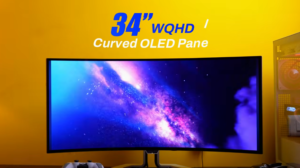
Now, Let’s talk about the main thing which is our display Here, We get a 34″ WQHD display Basically, The aspect ratio is 21:9 And it has a 240Hz refresh rate, It is like an Esports game The resolution of the display is 3440×1440 And this is our 10-bit display And the curvature of this is 800R, The lower the number, the more curved the monitor will be And the bezel etc.
If you look at the display, you will get good quality, and it is not too low or too low. And if it is OLED, then there is no need to talk about viewing angle. You can see the viewing angle from anywhere. Plus, it has anti-glare, which is the best part. It has direct light on it. It is like the IPS monitor’s anti-glare. If you compare it with other glossy OLED monitors, you can see how much reflection it gets. And it is cutting it completely. And if you play games on this resolution, you will get the taste of it. Like we were playing games on the PlayStation.
Horizontally, you get a lot of space, 3 windows or 4 windows are good. In multimedia, you get 16:9 content everywhere.
It was running on full screen, and it was not stretched but proper 21:9. But we didn’t get any other content like this, so you can search online. There will be more movies on OTT, so you can enjoy them like this. The contrast ratio is 3.1. So you will get a strong contrast. We will get pitch black from black. The brightest part looks good.
And certification is good, iSafe Certified 2.0, TUV Rheinland iComfort, TUV Rheinland Flicker Free, Low Blue Light, Color gamut 100% sRGB, 95% DCI-P3, Factory Calibrated at Delta E2.
You can change the colour accuracy in videos and photos professionally. You can change the colour profiles in the OSD, too. The brightness in our testing was up to 323 nits. Don’t be surprised that this is such an expensive premium monitor.
The brightness of OLED is around 300 nits, which beats IPS because every pixel is burning in it. If you know how OLED technology works, the brightness can be pushed towards the brightest part, like this monitor can hit up to 1300 nits.
In this particular window, if the window size is around 25%, then it can hit up to 450 nits. So, the blacks are deep, and the brightest part is brighter. So, overall, the dynamic range that you get to see is very good in comparison to IPS, TN, or VA. That’s why it feels good even at low brightness, and you can’t keep it at high brightness.
Because OLED is hot, it can cause burning issues. So, you won’t be disappointed with the display.
Gaming:
And if we talk about gaming, it has a 0.03ms response time, it has a 240Hz refresh rate, and we don’t feel any ghosting or overshoot. We were testing UFOs, and it is very good according to monitor esports. It has Counter-Strike in ultra wide, and it tastes so good.
It has a wide angle, and it feels like a pipe. It supports Nvidia G-Sync and AMD FreeSync Premium Pro. It supports screen tearing, low latency, etc. It comes in adaptive sync, so the frame rate of your GPU is the same as that of your monitor. So, you don’t get screen tearing. It comes with a variable refresh rate. Display is HDR True Black 400, Yes, HDR is supported, and dynamic range is also supported. Like the brightest part or the darkest part, we were checking the Costa Recalada, So, We don’t get any overexposure anywhere.
And the range monitor of ClearMR is 13000, which is the highest. Basically, the motion in the fast movement of the game, It defines how sharp and crisp it looks. And you will definitely get a good gaming experience if you are playing fast-paced games. And in terms of gaming experience, we have installed PlayStation we was playing on PC and it gives such a good experience in ultra wide and its colors are good The greens look good and we were playing on the speakers only so we didn’t need the external speakers Then we also played on the Spiderman and the feeling of swinging in 21:9 was good, It has the advantage of ultra wide So, Overall, Take the display according to productivity or gaming, It won’t disappoint you.
Extra Features:
Now let’s talk about some extra features. We get a KVM switch in this. Now you are taking the output according to HDMI, DP, and Type-C. You will not keep changing the keyboard and mouse on the table. So, you have to connect the keyboard and mouse to the monitor. If you are taking the output through HDMI or DP, then connect the type A to B cable to the same device. So that your keyboard and mouse will work. If you are taking the output through type C, then your keyboard and mouse will work directly. Because the ports are detected through type C. Then, Picture-in-Picture and Picture-by-Picture are also available. In picture-in-picture, you can give another source in any corner, and it will.
If you are working on any device and you want to see the screen or keep the main screen, then it is done like this. Or you can do picture by picture, in which the screen is divided into 2 parts, and you can give 2 sources in both parts of the screen. On one side, we have PC, and on the other side, we have PlayStation, etc. But its aspect ratio was not that good.
But if you are doing productivity tasks or office meetings, then it is okay. There is a 3:1 system where 70% area is used in one screen and 30% is used in another screen. So, there are multiple use cases.
You will connect multiple devices with this monitor, and the highlighting part is that you will get 2 sensors in front of the monitor. If you are sitting in front of the monitor, it will keep on working, and if you stand up, it will stop working. You have to turn it on in OSD, and it has an auto brightness sensor too. As you have ambient lighting, your brightness will be reduced. But we felt that the brightness was increasing in some places.
We have seen in the videos, Their algorithm is working but we liked the human detection feature But if it is dark then it doesn’t work because when we used the monitor in the dark, It didn’t even touch the monitor, It stopped Then we flashed it and it worked In OSD, we get the same controls in every monitor, If you want to change the settings, colors, profiles etc.
Software Support:
There is a software called Think Color, which has PIP, PVP, Brightness, Contrast, Basic settings, and Advanced settings. If you don’t want to go to OSD, you can use its software. We felt glitches in the software, like the monitor was not detected once. Then we did it through PIP and BBP software, so the screen was black. So, we request that Lenovo fix it.
Conclusion:
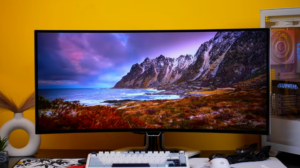
Now let’s talk about the conclusion. These monitors target specific users. First of all, Gamers who want a big screen, and if there are 2 systems, they want to do productivity and gaming. You can work on just one monitor with 2 screens, Which we was telling you picture by picture, It has a refresh rate of +240 Hz, It is an OLED monitor, It is very good for gaming Moreover, If you are a productivitiy person, You get a lot of horizontal space in this monitor You can work on 4 applications at once, You can do research, Copy and paste notes, Or you can open 3 windows horizontally, So, It is very good and it has all the adjustments And 2 things are very good in this monitor, Which we didn’t get in MSI monitor.
It has 2 speakers of 55W, and it has an anti-glare display. The pricing of this monitor is good. If we look at the competition, which monitor are you using? If you are thinking of buying this monitor, then we have described it completely. Now it’s your decision.