Get Ready For The iOS 26.3!
Table of Contents
Introduction :
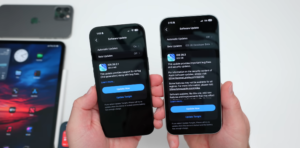
Hi everyone, iOS 26.3 RC, or release candidate released to developers and public beta testers a few days ago, and iOS 26.2.1 was released to the public over a week ago. But there’s even more to talk about since the iOS 26.3 RC is out. We’ll talk about the latest Apple news. We’ll talk about some new features and changes. And we’ll talk about the overall experience.
Now, Apple will celebrate 50 years as a company on April 1st, 2026. It seems there will be some sort of celebration, and we would also love to see if we had some sort of special 50th anniversary edition, whether that’s a phone, an iPad, or something else, but there’s no guarantee.
According to Mark German at Bloomberg, Tim Cook told employees, “When you really stop and pause and think about the last 50 years, it makes your heart sing. It really does. We promise some celebration.” So again, we should see something sometime around April 1st, and hopefully we’ll have some new products as well. The Apple store in Barcelona will be temporarily closed next weekend, on February 14th, for improvements. Apple has not said what those improvements will be or how long it will be closed for, so hopefully it reopens soon.
But let me know if you’re in this area and you’ve heard any other news, as well as far as maybe other temporary stores or anything to go along with that. Apple continues to grow the Apple TV service, and they’ve recently announced 12 new shows and started to promote them on YouTube. So, if we scroll down, we’ll see some things here. If we continue to scroll down, we’ll see things coming soon.
So, it starts with Formula 1 coming soon on Apple TV and then a bunch of other shows throughout 2026. So, lots of things from TV show series, renewed TV shows, as well as new movies. And on their Apple TV YouTube channel, you’ll see Humans of Apple TV. So, that’s available now. It’s a 46-second ad for Apple TV shows. Apple has officially opened up the Swift Student Challenge submissions. This is for WWDC 2026, or the worldwide developer conference, where Apple shows off the latest software, such as iOS 27, for the first time, and then they have betas throughout the summer and a public release in September.
So this is now open. They announced it here in the developer app and also on X. You’ll see here Greg Josuak announced that it says if you’re a student who loves building with Swift, this is your moment to create something incredible and show us what you can do. Swift student challenge submissions are now open. So that’s available if you qualify. Be sure to submit that in time. Now, Apple has started selling refurbished iPhone 16 models with adjusted prices.
They’re quite high. In general, you’ll see that a refurbished iPhone 16 Pro Max 1 TB is $1,269. And they’ve knocked it down about $230 recently. This is still fairly expensive, and for about $1,200, we would probably pick up a new iPhone 17 or 17 Pro model. So, they did drop the prices, but again, they’re fairly expensive. We’ve been waiting for the new M5 Pro and M5 Max updates to the MacBook Pro lineup. iOS 26.3 seems to make mention of them in the code.
So, we expect Apple to release the updated MacBook sometime around the launch of iOS 26.3 and, of course, Mac OS 26.3. So, hopefully we’ll see those within the next week or two.
New Features, Changes, and Updates :
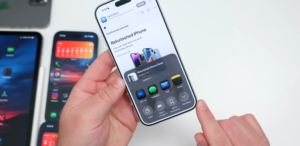
When it comes to new features, well, there’s nothing new that was found in the RC, really, other than what we just mentioned. However, we do have share sheet changes. We’ve shown some of that before. So, for example, if we go to this website here, and maybe we want to share this with someone else. If we go to share, they’ve now changed the view more ” view button.
So, this is something that’s a little bit better looking, we think, than before. It just sort of cleans up the interface. Also, they’ve limited precise networking from cellular networks. However, this seems to be on specific devices and specific carriers. So, if you have a C1 or C1X modem, you can actually use this on telecom in Germany. We’ll see in the United Kingdom, the United States, on Boost Mobile, and in Thailand. It’s not all carriers, but you’ll be able to turn on precision location tracking or turn it off so that it’s harder to track you even while you’re using cellular.
So, this is something we may see roll out to different carriers in the near future. Again, there’s no mention of RCS encryption in iOS 26.3, at least for it being activated yet. So, we’ll have to wait and see if they push that once it’s released to the public.
Weekly iOS 26 Tip :
Now, as far as the weekly iOS tip, many people seemed to like it last week when we talked about making the screen a little bit faster in Safari with 120 hertz.
And you can do something similar with screen recordings. So, if we go into our settings, and then we go to general, and then we go to screen capture, you’ll see here that we can actually change it from HDR to SDR. So, while it’s not going to be super smooth compared to maybe 120 hertz necessarily, you can actually have it in HDR, but if we find that too bright, you can switch it to SDR. A lot of people don’t know that that’s here.
So, if you’re ever in your car and you want to take a screenshot, you take one with your phone, and you’ll actually see it on your screen as well. Once you take a screenshot, it will capture what’s in CarPlay and save it to Photos. So, again, full-screen previews and automatic visual lookup are there as well. And it’s more customizable than people realize. So, let us know if that helped you out.
Maybe you want to turn on or turn off HDR. Let us know which one you selected in the comments below. One thing we wanted to mention that we’ve confirmed seems to be working even though they’re in the public facing release notes is the continuity features that they say are known issues within iOS 26.3. You would think that with the RC release notes, this would have been resolved. And it says things such as iPhone mirroring, AirPlay mirroring to Apple TV 4K, continuity camera wirelessly with Mac or Apple TV 4K, and Sidecar from Mac to iPad Pro M5 were not working properly.
This actually seems to be working just fine for us. We’ve tested it with our Mac, also with our Apple TV, and it works just fine. For example, if we go here, wait for it to load, you’ll see a few different options here, of course, and then we can screen mirror to different devices. So, maybe the Mac Mini that we’re reading our notes off of here. Give it a second. Now, it’s running on screen mirroring on that Mac Mini. So, it works just fine for us. We’ve had no issues with it, but it does seem to be resolved for me, even though it says it’s a known issue.
So, let us know if it’s working for you or if we’re still having issues with it.
App Updates :
As far as app updates, well, there are a couple worth mentioning this week. And the first one has to do with Apple support. This app was updated with performance enhancements and bug fixes. However, there’s more than that as far as that goes within the app. In some locations within the app, if you’re using it for maybe talking to an assistant, there’s now a new option to ask a question or ask instead of just saying chat.
So, there’s a new button there if you’re trying to get help or assistance with one of your devices. Also, it’s no longer called an early preview, meaning that it’s basically out of beta now and just a full-fledged app. So, it’s now available if you’re having issues with your phone. Maybe you need to check out your battery and things like that. We can do a lot of the diagnostics right from this app.
Another thing that was updated this week is that if we go back to the App Store, we have a new app within Arcade. If we go into Arcade, Sid Meier’s Civilization 7 was released. So, this is the full-fledged game released on iOS, iPad OS, and Mac. works with a mouse if you’re on a Mac or on your iPad with a mouse. It works great, and it’s again the full base game from Civilization 7.
iOS 27 :
Now, when it comes to the next version of iOS, iOS 27, the original leaks about iOS 27 are that it would incorporate some sort of AI-based health assistant and updated features called Apple Health Plus.
However, recent information from Mark German indicates that the feature is either being largely scaled back or canceled altogether in general. Other planned upgrades that were going to be rolled out with that will be added over time to the health app. So, it’s supposed to get some sort of redesign fairly soon, but it looks like that chat assistant may be something they push off for now. So, we’ll have to wait and see what they do with that.
But adding more and more features and health is always useful, but maybe their chatbot, which they were planning, just isn’t ready yet.
Weekly Apple Releases :
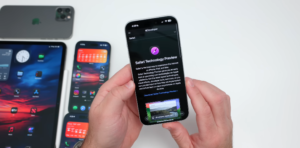
When it comes to releases this week, well, the first thing that was released, or at least earlier this week, was a Safari technology preview. If we go to download Safari technology preview, you’ll see it’s version 236, and it’s available for Mac OS Tahoe and Mac OS Sequoia. So, if you want to test out either one of those, they are now available.
Apple stopped signing iOS 26.2 this week. That means you can no longer downgrade to that version, leaving only iOS 26.2.1 and iOS 26.3 betas. This is pretty typical. They do this every time a new public release comes out. They stop signing the old one, preventing downgrades. Now, iOS 16.7.14 has also been released this week, fixing issues with calling emergency services in Australia. So, that’s available. They pulled the first version 16.7.13 with issues making emergency service calls, and then, of course, they pushed. This version is out.
Then also pushed out watch OS 11.6.2. This was released on Thursday, and Apple says that it fixes issues with cellular network issues for Series 6, Series 7, Series 8, Series 9, Series 10, SE2, Ultra, and Ultra 2 when establishing a connection to emergency services in Australia. So, the same thing with all of these older updates, they had to be pushed out to fix this issue in Australia. Now, when it comes to the iOS 26.3 release, well, we can expect it as soon as Monday. Now, whether or not we’ll see an RC2 if there are additional issues, and then release a little bit later in the week.
We’ve seen that before; we don’t really know, but we would expect it sometime this coming week. Also, iOS 26.4 with Siri 2.0 is what’s expected next. We could see iOS 26.4 beta 1 as soon as next week, or they could push it off a couple of weeks if they decide to do that. But we expect it at least next week or the following week. Then we’ll see what the new Siri 2.0 update is about, which integrates Gemini within Siri. See what that’s like, begin testing it, and then we would expect a public release probably sometime toward the end of March.
Then, of course, iOS 27 will be shown in beta form, the first time in the second week of June, most likely. So, that’s what we can expect from here on out. When it comes to the AirPods Pro 3 experience, it’s been a little bit hit or miss this week. This week, we were using them to edit a video, and they really degraded in sound quality, and then pretty much disconnected, and then they would reconnect.
It was just a problem. In order to fix that, we had to place them back in the case, close the case, reopen it, and then reconnect, and it worked fine, but we had that happen multiple times in a row, and we’ve seen people mention this on iPhone as well. We don’t know if it’s newer updates. We were using these with an older update, so something’s definitely different there, even though we didn’t have a firmware update for AirPods. When it comes to iOS 18, well, iOS 18.7.4 is what most people were on.
There’s an iOS 18.7.5RC available now, but it’s only available for iPhone XR, 10S, and XS Max. There’s no way to downgrade on newer devices such as the 16 Pro Max. There’s just no way to get that version on there. Unfortunately, that leaves people vulnerable to security issues unless they upgrade to iOS 26 versions. So, unfortunately, it’s the end of the line, and there are no more updates for older devices or any device that wants to stay on iOS 18 other than those that don’t support iOS 26.
When it comes to iOS 26.2.1 in the overall experience, we’ve used it on both the iPhone Air and iPhone 17 Pro Max full-time. It [snorts] seems like there are still a few issues here and there,
RAM Management :
But there are some things that have been improved, such as keyboard lag, especially on newer devices. RAM management improved as well, and promotion seems to be much better, smoother, and more consistent. So, if you’re in the app library and you scroll, or if you’re in Safari and you have that option turned on, which we showed you last week, it’s very smooth.
Like we mentioned, just in general, it seems to be a smoother experience. It’s not perfect by any means, but it’s much, much better. CarPlay is still an issue on iOS 26.2.1 and the latest version. We’ll talk about that in a minute, but the CarPlay issue we had on both of these phones is that when we connect it to our car, it works fine, then it immediately disconnects after just a moment, and then it reconnects on its own.
After it reconnects, it works absolutely fine. So, we’re not sure why this is happening. It stopped happening in earlier betas. Now, it’s happening again. Now, a new issue this week is that some people are saying their alarms aren’t working again. They’ll say sometimes they’ll trigger and show on the phone, but not give an audible sound. Other times, they just won’t go off at all. We thankfully haven’t seen this, but again, quite a few of you are reporting it.
Wi-Fi dropping for many seems to still be an ongoing issue with 26.2.1, and those on iPhone 13 mini 12 and older do report the phone getting hotter than normal on this particular update. However, again, make sure you’ve used it for a few days and make sure it cools down after that. It’s not a huge deal, but it definitely means something’s processing. When it comes to iOS 26.3 RC, once that released, we switched over on the 17 Pro Max, and there are a few things that it’s fixed. We’ve heard no reports whatsoever of rerings or reboots.
Also, the keyboard bug seems to be resolved, as many people report. So, if we go into notes, within notes, typing is fine. This is a new note on iPhone 17 Pro Max, and you’ll see it works just fine. It keeps up. It’s not mistyping. It does seem improved. Now, we don’t know about older phones, but we haven’t heard many complaints about them this time around. Micro stutters are mostly gone for most people. And also, many users on iPhone 13, 14, all the way up to the 17 models, say that it just feels faster and smoother and more polished.
Polish Update :
So, the RC is definitely smoother, we think, than even 26.2. 2.1, and many have reported much improved battery life. We’ll talk more about that in a moment. The bugs that remain, though, are around the heat of the phone. After a couple of days, it stopped for us, or after a day or so, but some people say that it’s still quite hot while they’re using it. The wallpaper bug is definitely still there for us.
You can see it desaturate as we zoom out or swipe up. It’s not a huge deal. It seems improved, but it’s still an issue. CarPlay again is doing that disconnect thing, the same thing it did on 26.2.1. 2.1. Some have actually even said that it’s due to radio interference or RF interference. That’s possible, but we’re seeing the same thing at our house. Our wife’s seeing the same thing, and it just seems to be consistent across our vehicles.
Phone Calls :
Some also say that the audio quality is not great on the iPhone 13 and 14 models when you’re on a phone call, where sometimes the overall sound can be muffled.
This could be a carrier issue, but some people are reporting it, and it’s at least a couple of people. Now again, when it comes to performance, it seems to be pretty solid, especially with 26.3 RC. Very, very smooth. Opening and closing apps, whether it’s the camera or anything else, seems to be nice and fast. So, again, if we go in, you’ll see it’s a little bit slower on the iPhone Air. It’s on 26.2.1. On the right is 26.3 RC.
RAM management is great. As we mentioned, going into different apps seems to be nice and fast, and the experience is much more like you would expect, probably with an early release of iOS 26. As far as heat and thermals, it seems to be staying nice and cool for the most part. Both devices are nice and cool. But let’s go [snorts] ahead and run benchmarks and see what sort of temperatures we get. And we’ll also include the previous beta as well here. If we take a look at temperatures on the iPhone 17 Pro Max running iOS 26.3 RC are right around 99° F.
On the 17 Pro Max running 26.3 beta 3, we’re around 96° F. And on the iPhone Air running iOS 26.2.1, 2.1 were around 105 degrees Fahrenheit or 108 degrees Fahrenheit. So overall, right where you would expect them, they’re well within the margin of error. Depending on how they’re processing things, it’s about the same. Now, if we take a look at benchmarks, you’ll see iOS 26.2.1, iOS 26.3 beta 3, and iOS 26.3 RC. They’re well within the margin of error.
If we ran this a few times on the iOS 26.3 RC version, we’d probably get over 10,000. So, these can vary up and down by quite a bit just running them back to back. If we take a look at battery health and battery life, under battery, battery health, you’ll see we are at 100% capacity with just 10 cycles. This is the one we switched to. We talked about it in a follow-up video the other day. So, we’ve been using this for the past few days. And so, on iOS 26.2.1, that’s when we first started using it.
It was okay. It was getting better over the next few days, but we got 3 hours and 15 minutes of screen active time, 7 hours and 53 minutes of screen idle time, with 62% of the battery used. Now, depending on how you’re using this, this could vary, but in our experience, this is almost double what we were getting on the iPhone Air. As far as iOS 26.3 RC, we had 5 hours and 7 minutes of screen active time at 6 hours and 20 minutes of screen idle time, and used 93% of the battery. Again, it seems to improve, but let’s take a look at Nate’s battery life.
And he seems to get similar battery life on a 17 Pro Max at 100% battery health. 4 hours and 54 minutes of screen active time, 6 hours and 23 minutes of screen idle time, and use 76% of the battery. So, for us, getting 6 to 7 hours of screen time is actually quite good with all the different things we have running in the background. Some people are getting 12 and 13 hours of screen time as well. In fact, 53% that are on 26.2.1 2.1 had said that it has better battery life than iOS 26.2.
To view iPhone storage, go to Settings> iPhone Storage> Scroll to the bottom, and you’ll see iOS is taking up 23.03 GB on iOS 26.3 beta 3 and 20.58 GB on iOS 26.3 RC. For some reason, on this blue iPhone 17 Pro Max, Apple Intelligence is about 3 GB more than on any other device.
But overall, it’s what you would expect. It’s a very minor size update, and that’s what you would expect. Now, if we take a look at system data, we’ve seen quite a few people concerned about this, but honestly, this is nothing you should even be looking at unless you can’t install apps. It fully manages itself, its cache, and goes up and down as needed. So, typically, it’s something you can ignore and will change on its own.
With iOS 18.7.4 and the upcoming iOS 18.7.5, it’s the end of the line. There’s no way to install it on things such as the iPhone 16 Pro Max. The only way you can use it is if you’re on iPhone XR, 10S, and XS Max. So, you’ll be vulnerable to security issues, and you’ll have to update to iOS 26 if you want to make sure that your phone is secure. We wish Apple would change this, but for now, this is what they’re doing. When it comes to iOS 26.2.1, well, it’s been a polarizing update.
a few minor bugs, such as the CarPlay issue we mentioned before, and that could be ironed out with the public release in a few days. So, hopefully, we see that. And so, that’s everything with iOS 26.2.1 and iOS 26.3 RC. Maybe we’ll see an RC2, or we’ll just have the public release soon. Hopefully, we’ll get some major updates, though, and it just makes everything better with iOS 26. Like we
normally do. As always, thanks for watching. I’ll see you next time.