MacBook Neo – Not For Everyone!
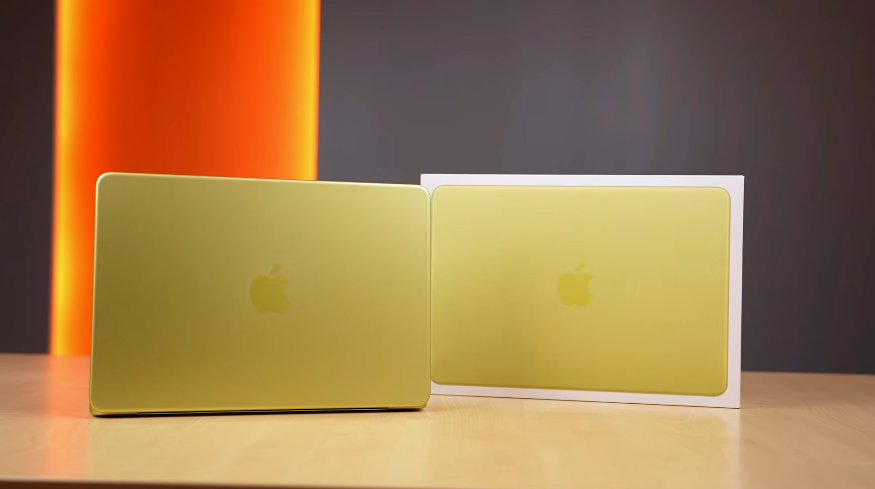
Table of Contents
Intro:
Finally, the MacBook Neo! It took some time to bring the review up because when we started testing it and saw its pricing, adding a bit more to the price would get us M4 air. Apart from that, the prices of Windows thin and light and gaming laptops are around the same price. So there were a lot of things. We’ll provide detailed information on the testing, including numbers & comparisons. And what you can buy with how much money. Where it stands in its place.
Unboxing:
Still, we’ll tell you a little. We get a box like this. We get a 20W charger in it. And we get a very long 1.5m braided cable. Just like we get with iPad. Usually, we get the same colour cable in a MacBook. But in this case, it’s not like that. It’s very generic.
Build & Design:
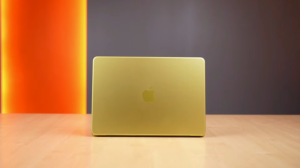
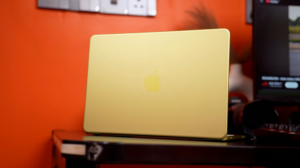
And rest, we have bought the citrus colour. When it was launched, we liked it. But when we got it, we liked it even more. And it has 2 variants. mid-range for the 256GB variant. And a little high from mid-range for 512GB. In which we get a Touch ID, i.e., a fingerprint sensor. There is also an education discount for students. Whether you are a student or a teacher. So you can buy both variants for mid-range.
Build & Design wise, Apple has kept everything premium. We get a complete aluminium body. If you buy a Windows laptop for mid range You will definitely get a better build quality than that. Even though it’s thin, the lid can be opened with 1 hand. It goes this much at the back. There are no screen wobbles. Just like MacBook’s hinges. There is a completely sealed design at the bottom.
Because this is also a fanless design laptop, just like the MacBook Air. There are no fans or vents. There is an Apple logo at the top. And we get rounded corners like other Apple products.
There are rubber paddings at the bottom. The thickness of the laptop is 12.7mm. The weight is 1.2-1.3kg. The charger is also not that heavy. It’s a 90-100g charger. So it’s very thin. This is the same weight as a MacBook Air as well. Even though it’s a cheap MacBook, we don’t get any top lid flex or keyboard flex. The build definitely feels very sturdy.
Display:
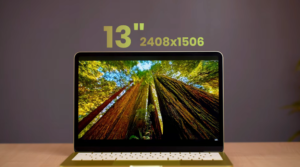
Then comes the display. We have seen a lot. Creators outside are criticizing the display. But at the price at which it comes, it’s a 13-inch IPS display. The resolution is 2408×1506. It’s bigger than 1440P. It has a 16:10 aspect ratio. It has a 60Hz refresh rate. Because it is Apple’s budget product is 60Hz. When we tested the colour gamut, you can see it has 97% sRGB and 72% P3 coverage.
If you compare it with MacBook Air, MacBook Air has 100% P3 and sRGB. And it has a brightness of 518 nits. It’s just the same as MacBook Air M4. Because if you look at any Windows laptop of this price, you rarely get to see a display of this level.
Yes, there are some cheap options in the market. In which we get OLED displays in Windows laptops. We will talk about this at the end. But overall, the display colours are very good. The brightness feels good. And one thing we saw when comparing it with MacBook Air M4, its viewing angles are not as good as those of Air M4. We mean, it’s not as good as that. But overall, according to this price, the display is good.
And you get support for HDR, Dolby Vision, and HDR10+. And if you look at the bezel, it feels quite thick. But when you get used to using it, then it feels fine. And in these bezels, our webcam is hidden on the top. And there is no true tone in this display. That means you don’t get an ambient light sensor.
But yes, we get automatic brightness in it. Which basically uses its camera. According to the lighting conditions, the brightness of the screen will be adjusted. And as there are colours in the display, there is no problem with content watching. Apart from that, if you want to do colour grading in photos or videos, we were looking at that too. We found its colours quite good. There was no such problem.
And you get support for Dolby Vision on Netflix. Even the HDR calibration is good. We saw it in Costa Rica. The brightest part and the darkest part were looking good. But overall, looking at Apple’s product, we would say that the display is good for its price.
Speakers:
And we get speakers on the left and right. Which looks like a micro SD card slot. And listen to the audio sample. Not as rich as the MacBook Air. But the speakers are good. The loudness is fine. They are sharp and have a slight thump as well. And at this price point, it has better speakers than any Windows laptop. And you also get Dolby Atmos support.
Ports:
In terms of ports, the laptop is very poor. There are 2 types of ports on the left. Out of which, One is USB 3.0, and the other is USB 2.0. Both support charging. You get a 20W charger in the box. Although we connected another charger to it. It was charging around 20-24W. You can also take the display output from the USB 3.0 port. Up to 4K 60Hz. If you want a high refresh rate, you can take 1440P 120 FPS. And if you want to connect a 1080P monitor with a high refresh rate, you will get a high refresh rate output. And to add extra features, you will definitely need a USB hub.
For example, you need to connect HDMI, DP, Type A, and Type C. So, there will be a limitation if you want to make a desk setup with this laptop. And you also get a headphone-mic jack combo. They have not given MagSafe charging. Type C ports’ wear and tear happens quickly. MagSafe is 100% safe.
It doesn’t get damaged easily. In that, just the magnet sticks and comes off. There is nothing that goes in or out like a cable. For charging. And we noticed that if you connect any storage in the USB 2.0 port for data transfer, you get a notification that you should connect it in the USB 3.0 port for faster speed. We liked that.
Keyboard & Trackpad:
Then we felt differences in the keyboard. In other MacBooks, there is text on shift, delete, and tab. But in this, there is no text. Keys are plain. And the typing experience is good. Earlier, we thought the keyboard was of low quality. MacBook Air or Pro gives a more premium feel. But its keyboard is also good. And the biggest drawback of this laptop is the backlight. There is no light in the keyboard.
Students can’t work at night. Apple thinks that you should use a table lamp. So if you have good keyboard muscle memory, then you won’t have any problem. But if you are going to work at night and you type after looking at the keyboard, then make the screen brighter and bend the lid slightly downwards to see the keyboard.
You also get a Touch ID. But only in the 512GB variant. And should you go for 256GB or 512GB? How important is the Touch ID? We will talk about it at the end, and then comes the trackpad. It doesn’t have a haptic feedback trackpad. It has a mechanical trackpad. There is a click system below the keys. But they have designed it very well. It’s not like a Windows laptop, in which it clicks properly only if you click in a particular area. In other areas, even when the trackpad is fully clickable.
It doesn’t click properly. But due to its mechanism, if you tap the trackpad from any area, be it from the middle, Left, right, Top, or bottom. It works smoothly in all areas. And yes, we liked the trackpad more than any Windows laptop. It supports multiple gestures. It’s very smooth to use. And no doubt, the trackpad is good.
Webcam & Mic test:
And this is its webcam test, and the laptop is also being used. We get a dual mic in this. In the MacBook Air, we get a triple mic. And it has a 12MP 1080P webcam. And it is an Apple product, so the webcam quality must be good. Other than this, we get some effects like a portrait. There is a blur in the background. And its edge detection also works well. You get a studio light, which keeps you in focus.
There is a kind of darkness in the background. You can turn on an edge light. It shows a ring light on the screen. It is useful when you take video calls. You can add reactions. And yes, you can also add a background.
It doesn’t have a center stage camera that does automatic framing or desk view. Which we get in the air. It doesn’t have it. Apple says you have given less money.
Specifications:
And talking about technical specs, it has an A18 Pro processor. Which we get in iPhone 16 Pro and Pro Max. And it has the same 8GB LPDDR5X RAM. And it has a 16-core neural engine, which is useful for AI. We will tell you about its AI performance. We bought a 256GB variant. Its read & write speed is around 1700-1600 Mbps.
But yes, we were comparing it with the MacBook Air. In MacBook Air, we get better read and write speeds in storage. And the people whom this laptop targets, for them, this much read & write speed is enough. You also get Wi-Fi 6E and Bluetooth version 6.
Performance & Benchmarks:
And the most important thing is performance. First of all, for CPU performance, if you look at Cinebench R23, its performance is even below M1 in multi-core. You can also see the graphs of M2, M3, and M4. And surprisingly, its single-core performance competes with M3. We will tell you about the real-life use case of multi-core & single-core later. And we were also comparing it with Windows laptop processors. If we compare it with Snapdragon X series processors, then the single-core performance is very poor compared to them. Yes, we get better multi-core.
But Apple’s optimisation is good there. Apart from that, there are other processors that were available at the same price point in the market. We will talk about its competition laptops as well. Then we have Cinebench 2024. Its multi-core performance is decent. But single-core performance is very good. And then we compared Geekbench 6, and it was beating M1 if you look carefully. Its single-core performance is very good. And if we perform the same Geekbench 6 on iPhone 16 Pro, then we get slightly better numbers than that.
It will be able to do better thermal management in such a big form factor. And the operating system is also different. It doesn’t make any sense to compare. And we did Geekbench’s AI benchmark. In that, we kept the GPU at the back end. And it was giving better performance than M1 and M2. In terms of AI, you can see the numbers. And when we kept the neural engine at the back end, Then It beat M3 as well. It was almost there with M4. Now, these were the benchmarks to see that it has the capability. But when it comes to real-life use cases, RAM also plays a big role.
Here, it comes with 8GB. So, we ran the QUENT 4 billion parameter model. Using LM Studio. This is the prompt that we use on all the laptops. And the results came out in 1 minute 12 seconds. And when we ran the same thing in Air M4, the results came out in 37 seconds. You can see the token information. And then we thought to run DeepSeek R1’s 8 billion parameter model.
But no. It denied that it couldn’t do it, just because it has less RAM. And if you are thinking of buying this laptop for AI tasks, our answer is no. You can do cloud-based work as much as you want, and you can do anything in the browser. But if you want to do something locally, Air M4 or any Windows laptop at this price point will do better. Because in a Windows laptop, you will get a GPU laptop at the same price point. And the chipset of Air M4 is definitely better than this.
Then comes the editing. We ran Puget Benchmark Photoshop, and the score was around that of M1 and M2. And you can see Premiere Pro, where the score was close to M1. After Effects performance is very bad; it is way below M4. And you can see DaVinci Resolve. We get very low scores in this. And we got some benchmarks online, so we made a graph with M1, M2, and M3. But we compared it mainly with M4, because we have M4 in the studio, and we were able to test it on the latest version side by side. Other than that, Geekbench 6 OpenCL for GPU. Its GPU performs well.
It is performing better than M1, but it is below M2 in most cases. Then M3 and M4 are above it. And we ran a BMW render test with the same M4. It took 41 seconds while M4 took only 23 seconds. Now we get more RAM in M4. Overall, if we talk about real-life performance, in multitasking, this laptop kills. We opened a lot of applications side by side and pressed the Enter key. We opened a lot of applications, and the laptop didn’t even lag. The UI is amazing.
If you want to do web surfing, Email, Basic office tasks, these are all single-core tasks. Then, if we talk about multi-core, we ran Photoshop on this. For the type of thumbnails we make, and our team used it, there was no problem in Photoshop. Yes, if the layers and projects increase, then it can be a problem. It can vary from user to user. Then we ran video editing on this. It handles 1080p video editing very well.
If you run 4K, it runs fine up to 1-3 layers. After that, when you add transitions, layers, effects, etc. It lags and stutters. You have to keep in mind that it has M1-level performance plus 8GB RAM.
That’s why it doesn’t perform well in this level of productivity tasks. If you want to run 3D modeling, rendering, After Effects, etc. For that, this is a big NO. You don’t have to buy this laptop. Then we have the coding students. You can do beginner to intermediate level coding, like web development, HTML, CSS, JavaScript, etc., or Python coding.
Other than that, you can do basic C and C++. And suppose you have run VS Code, opened a browser, a few tabs, or chat GPT type of workflow.
It will handle that. But if you want to do heavy iOS app development or big Android Studio projects, then this laptop is not recommended for that. Just because of RAM constraints, it runs with unified memory only. RAM is shared when the GPU is used, and it doesn’t perform well there. For that, we would recommend you go for a Windows laptop. Or if you want to buy a MacBook, you should push your budget up to the Air M4. Then we have the music production. In this, we also need better multi-core performance, which is not good in this laptop.
Yes, you can do entry-level tasks. But as soon as you work on heavy projects, it will start lagging. Now, if we give you the final answer. Most of the people who buy MacBooks for office tasks, mail, writing, studies, and PDF reading, etc. And they were going for MacBook Air. They shouldn’t buy that now.
We were checking the power draw. When we ran Cinebench R23, it could go up to 5W maximum. And it reaches 95-degree temperatures. On the other hand, MacBook Air can go up to 20-22W. It is power-efficient and gives good performance even in such a low power draw.
But you can’t expect it to do everything like a MacBook. You will get all the Apple intelligence. It has proofreading, a concise tone change, image playground to generate images. If you get Genmoji, you can generate emojis. And Siri’s integration.
Apple Ecosystem:
And the most important and strongest part is the Apple ecosystem. It has MacOS, so the Apple Ecosystem can be managed on this as well. If you have other Apple devices, you can attend calls, copy and paste on other devices, Common clipboard, screen sharing, etc.
Game Test:
We wanted to play games on this device, so we installed Crossover. So, we can play games on Apple devices. And as expected, the performance was not good. Its native resolution is 1536P. And we were playing on normal settings. So, GTA V was stuttering a lot. And FPS was 30-35 on average. But the game was lagging a lot. So, it was not a playable experience. Then we tried Ghost of Tsushima on very low settings. We also set the FSR frame generation to quality, and we got 4-5 FPS. So, you can’t play games on this. And then we tested the native game.
Cyberpunk was released natively on this, not through a crossover. And on low settings, you can see the performance on frame generation off and on. You get playable FPS on this. And other than this, Native games have been launched on this. For example, Control, in which you can easily get 40-45 FPS if you play on the Metal effects performance. And on Resident Evil 2, we get playable FPS around 50-55 FPS.
So, this device is not for gaming. In the future, it can perform well on native Apple games that will be released for the Apple Ecosystem. Rest, we will see in the future.
Battery:
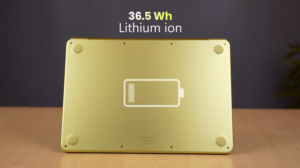
And it has a 36.5 Wh lithium-ion battery. In terms of listening, Wh is very little. But the power draw is also up to 5 Wh. You get a strong backup. In daily use, we kept the brightness on adaptive. There is no keyboard backlight. And we were browsing, streaming, FaceTime, Notion, and Excel. We got a battery backup of 10-11 hours. In this case, if we compare it with Air, it gives 17-18 hours. So, at this price, you get a better battery backup than any Windows laptop. And there is no idle battery drop.
If the laptop is opened and you close it like this, there is only 1% drop in 12 hours of idling. And it has a 20W charger in the box, so it charges very fast. It takes around 4 hours to get fully charged. So, yes, the charging speed is very low. But even if you charge it for 20-30-50%, you will get a lot of battery backup. So, this was the review of MacBook Neo.
256GB vs 512GB
MacBook Neo:
Now let’s conclude it. We recommend that you go for its base variant, 256GB. We know the storage will be less, but the tasks it does, like multitasking, Office meetings, PDF files, etc. That doesn’t use a lot of storage. Most of the things are on the cloud. 8GB/256GB is enough for YouTube, streaming, listening to songs, etc. And for productivity tasks, only Photoshop and basic-level video editing. Other than that, we won’t recommend anything else. For students, Basic coding can also be done.
MacBook Neo vs
MacBook Air M4:
And if you are thinking of buying a 512GB with Touch ID, then we recommend you slightly increase the budget and buy the MacBook Air M4 for the high range. This is only if you want to buy a MacBook. And if you spend extra money on MacBook Air, you get better things like better webcam, Better memory bandwidth, Faster SSD speeds, Better ports version, Better performance, Better display, Backlit keyboard, True Tone display, and better speakers.
That’s why we are telling you to go for Air M4 if you want to go above. And if you are thinking that it is 8GB and should be 12GB or 16GB, then you can wait for MacBook Neo 2. Because in MacBook Neo 2, there will be an A19 Pro chip with 12GB RAM. This chip doesn’t have to be made specifically. It is based on this architecture, and they have to install it as it is. So, it will be available next year.
Mac Mini M4 vs MacBook Neo:
And if you want to run macOS, you can work in a desk setup. Then you can buy the Mac mini M4 with 16GB RAM. You will get a performance M4 with a thermal system. It performs better than Air M4. And you can also buy a monitor for the low range and a keyboard-mouse combo for the lower range. You can make a great desk setup for mid-range and get a better performance than the Air M4.
And if you want to run macOS, you can work in a desk setup. Then you can buy the Mac mini M4 with 16GB RAM. You will get a performance M4 with a thermal system. It performs better than Air M4. And you can also buy a monitor for the low range and a keyboard-mouse combo for the lower range. You can make a great desk setup for mid-range and get a better performance than the Air M4. But it targets a limited audience. If you are spending so much money, then you should buy it. Otherwise, Laptop tasks can be done only on a laptop. It is portable. You can put it in a bag. You can have your display, Keyboard, and trackpad.
MacBook Neo vs
Windows Laptop:
And this is where the major comparison comes. MacOS is very optimized. You will get dedicated apps for it. It works very fluidly, and there is an ecosystem as well. So, if you are thinking of buying Snapdragon X, you can buy this instead of that. If you are thinking of buying an ARM chipset. Coming to Windows, it has the same features. If you want to use basic things like Word, PowerPoint, Excel, Basic Photoshop, etc. And such a weight, Such a refined laptop and premium.
So, definitely, this is the choice for you. If you are in favour of Windows, then you can definitely choose the laptop that we told you about. But you won’t get much battery backup in it. Keep this in mind. Rest, Windows is easy to use. If you are buying a MacBook for the first time, you may face some issues while using it. You will have to watch tutorials on YouTube on ChatGPT. And you will get 16GB RAM in Windows easily. But, its 8GB optimisation is also very good compared to Windows. If you want an OLED display, then there is an option in Windows.
You get VivoBook OLED. There is an OLED display in the Motobook. So you will get an OLED display there, and then comes the major upgradeability factor. MacBook says, They will print everything on the motherboard. But, in a Windows laptop, in a Thin and Light, you get mostly soldered RAM. But in some laptops, you can upgrade RAM and storage yourself. Which you won’t be able to do in a MacBook. And you will get fast charging speed in Windows. This is the only difference. After this, you can make your buying choice about which one you want to buy.
And then comes the gaming laptop in Windows. In mid-range, you get 3050 6GB, 4050 6GB with a good H-series processor. And you get a 16GB RAM laptop. Specifically, you get 512GB storage. And in that laptop, keep aside the battery backup. And if we talk about performance, then it will perform better in day-to-day tasks as well. Gaming can also be done on that, and in terms of productivity tasks, it will perform better than this MacBook. So you can decide if you want to do basic tasks and want a light laptop. Then you can choose it. But if your focus is on gaming, productivity, basic tasks, etc., then you should definitely go for a gaming laptop. You can choose which one to buy accordingly.
Conclusion:
And that was the entire review of MacBook Neo. This being an Apple product, we like this product.