Wireless Mouses For Every Gamer
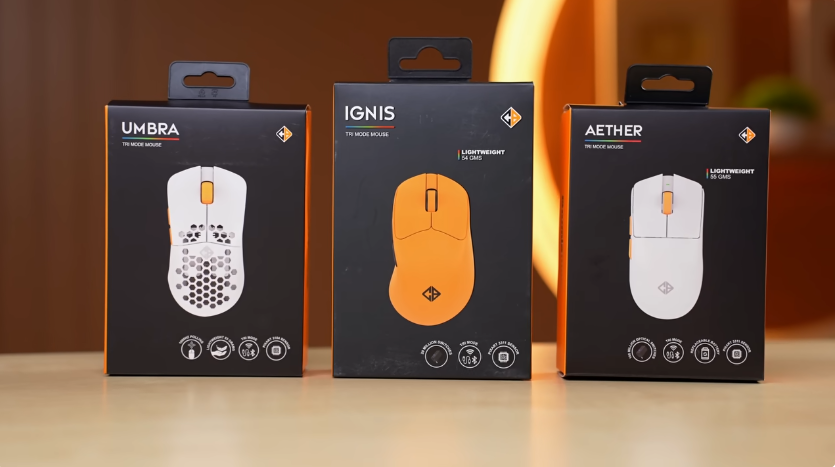
Table of Contents
Introduction :
So finally, after a long time, Mouse is here. And Cosmic Byte has launched 3 mice. They have taken care of everything from cheap to expensive. They have launched 3 mice that we thought we’d cover. And who are these mice targeting?
What different things will you get according to the price point? And we’ll tell you which mouse is for whom.
We’ll open the boxes one by one.
Unboxing :
These are the typical Cosmovide boxes. There are different coloured microphones.
There are other colours as well. You can check them on the website if you want to buy them. The cheapest one is the Ambra mouse.
There is a white mouse in a white box. It looks beautiful. There is a yellow type A to C cable for wired connection & charging. And the dongle is stored above the cable. This means that the mouse doesn’t have dongle storage. It’s cheap, so this is a compromise. And here you get the user manual, which is of no use. We are here to tell you all that. Then comes the Ignis mouse.
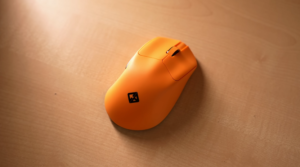
The contents of the box are the same, so we will show you the mouse directly. This is an asymmetrical mouse for right-handed people who need a thumb rest. And it’s yellow in colour. There is no dongle storage in the Ignis mouse. You’ll have to store it on the cable. It comes in white & black colours. It looks like a sweet mango.
Then comes the Ather mouse. This is a special mouse. There is a special thing in this. You get this type of symmetrical mouse, and this is in white colour, and probably it comes in black colour as well. So you can choose the colour accordingly. And you get dongle storage under the battery. So if you travel a lot, you won’t have to store the dongle in the cable. There is space in the mouse itself. We liked this. But the cost is also higher.
Build & Design :
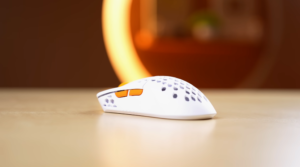
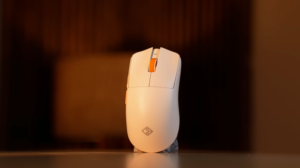
Let’s start with the design. Starting with the cheapest Ambra mouse. This is a symmetrical mouse. And it has a honeycomb design. You can even see the battery inside. We noticed that if we shake this, sometimes we can hear the battery movement, but sometimes we can’t hear it.
Right now, we can’t hear it. On the bottom, we can see the motherboard, and there are PTFE, a DPI button, and a 2.4GHz switch for Bluetooth & wired connection. And the best thing is that this mouse comes with a weight of 55 grams. So if you want to play games, the lighter the mouse, the better it feels.
But it’s cheap, so there must be some catch. We’ll tell you that later.
Then comes the Ignis mouse. This is a right-handed mouse. You get a thumb rest on the left side. You get forward & backward buttons. And there is a switch at the back. But it has big PTFEs. And there is PTFE even around the sensor. This is not a honeycomb design; it is a covered mouse. It has a good build quality. And its weight is 1 gram lighter than the Ambra mouse. Even though it doesn’t look that light. And this mouse looks very common.
Because most of the Cosmic Byte mice look like this. It has a symmetrical design with Cosmic Bite branding at the top. On the back, there is a switch & DPI button. And if you notice, the PTFE is very small, mainly around the sensor. And there are small dots of PTFE. Although the PTFE is smooth. But there is one thing in the box that we couldn’t show you in the unboxing. Here, we get big PTFE. So you can remove this and put the big PTFE according to your usage.
We used it with the pre-applied PTFE & we didn’t face any problem. Although it weighs 56 grams. So it’s heavier than the cheap ones. But it has a USP. You can remove the battery from the bottom area. And there are Pogo pins in the battery which connect inside. And it has a Type-C port, so you can charge the battery. And there is a dongle storage at the bottom. And if you want, you can use this mouse in a wired connection without a battery. In which it becomes ultra-lightweight. It weighs 44 grams. And the best part, we get 1 additional battery in the box. So your gaming session shouldn’t stop.
If the battery discharges between gaming sessions. Just lock & load, put the second battery & start gaming. But it comes with a USP. If the battery discharges between gaming sessions. Just lock & load, put the second battery & start gaming. But it comes with a USP.
And we get the extra PTFE only in Ather. We don’t get it in the other 2. Obviously, you are not giving that much money either.
Features :
Then, let’s talk about the features. There are not many differences between Ignis & Ather. There is a difference in the battery and some other things. Like these switches. In Ambra, we get Huano’s 10 million clicks lifespan switches. In Ignis, we get Huano’s 20 million clicks lifespan switches. And in Ather, we get 100 million clicks on optical switches. So if you pay here, you’ll get a higher switch life. And 100 million is a lot.
We’ll check & let you know. We’ll count every day. 10, 20, 100. Million in Ambra, we get a Pixart A3104 sensor. While in Ignis & Ather, you get a Pixart PAW3311 sensor. And all 3 mice have a 1000Hz polling rate in dongle & wired mode. And in Bluetooth, we get 125Hz. Ambra is cheaper, so the polling rate is up to 4000 DPI. And in Ignis & Ather, it’s up to 12000 DPI. Then comes the acceleration. So if you are an Esports player, do check the acceleration number while buying a mouse. Because in Shooter Esports, we have to take flick shots.
For example, we have to move left & right in Valorant or Counter-Strike. The more acceleration there is, the less accuracy the mouse will lose. In Ambra, we get 15G acceleration. While in Ignis & Ather, it’s 35G. So if you are looking for a mouse for Esports, then these 2 choices are for you. You can also play games in Ambra. But at a casual level. Tracking speed is also important. It’s calculated in inches per second.
That’s how many inches your mouse can register per second. In Ambra, the tracking speed is 45 IPS. So even though the polling rate is high, the tracking speed is low. So this mouse is not for serious Esports users. Why am I saying serious Esports? Let’s talk about the gaming experience. While in Ignis & Ather, you get 300 IPS tracking speed. 300 inches per second. So here, no matter how fast you are moving or taking flick shots, there won’t be any issue.
Software Support :
You get software support with all 3 mice. You can set macros in the software. We get similar 6 buttons in all 3 mice. These are all programmable buttons. You can assign them any action in the software. You can set any shortcut. These are things that we get in all mouse software. Connectivity is the same in all 3 mice. Tri-mode connectivity is there. You can connect through Bluetooth, Dongle & Wired.
Bluetooth version 5.0 is available in Ambra. But 5.3 is available in Ignis & Ather. So you will get better connectivity with some extra money.
Battery :
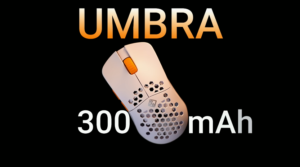
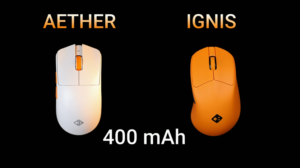
Since all 3 are wireless mice, the battery matters a lot. In Ambra, you get a 300 mAh battery. While in Ather & Ignis, you get a 400 mAh battery. And in Ather, you get 2 batteries of 400 mAh each. So your long session will continue, and the battery will be replaced. The brand says that all 3 mouses will provide up to 30 hours of battery backup.
Probably due to the sensor, the consumption of the mouse will be high. So you will get similar backup in all 3 mice.
Gaming Experience :
Now, coming on to the gaming experience. First, we experienced the Ambra mouse. And according to this mouse is very good. It has a good in-hand feel, and it is lightweight. So if you want to play casual gaming, like we were playing Counter-Strike. We didn’t face any problem. We tried fast movements and flick shots.
It was working fine in them as well. But the competitive edge can be felt in long sessions while gaming. So obviously, its acceleration and tracking speed won’t give you that edge. And if you are playing casually, you won’t notice it. But if you are a serious e-sports player, you can ignore it. But if you are playing normal games like GTA or any other story game, then this mouse is worth the money.
According to it, it is a very good offering. Talking about Ather & Ignis, the mouse is good in terms of performance.
By the way, we would like to add 1 thing. All 3 mice have good PTFE. They are smooth. We tried gliding them. But we would like to add 1 thing. The mouse’s performance will also depend on your mouse pad. In Ather & Ignis, we had to play Esports, and we tried CS 2. And their performance is also good. Both come with a similar sensor. PTFE is also good. Moreover, it is lightweight. When we used Ather without a battery on a wired connection, the mouse felt so light.
We don’t feel tired while playing games. And if you have a doubt, between Ather & Ignis, which design will be good for gaming? This is very subjective. We gave these mice to everyone in the studio to test. Everyone had different answers. Some people liked asymmetrical design, while some people liked symmetrical design. So, if you want to choose a mouse. Try both symmetrical and asymmetrical once, then you can make your choice. In an asymmetrical design, the thumb placement is comfortable.
But for Esports, we like symmetrical design more. We have been using symmetrical design for a long time. If you want to play day-to-day tasks with all 3 mice, or if you want to play story games, there won’t be any problem in that. We told you specifically that for Esports, Ignis & Ather will be a better choice for you. Obviously, you will have to spend some extra money.
Conclusion :
So, let’s conclude. All 3 mouses are good according to their price. If your budget is entry-level, your mouse can be a good choice for you. If you are an entry-level Esports gamer or if you want to do casual gaming, even the mouse lying on the setup should look beautiful. Then Amber is a good choice. If your budget is medium, Ignis is also a good choice. It is asymmetrical. Only right-handed people will be able to use it.
It is also comfortable to use. You get good PTFE in it. We have told you about the other technicalities. This targets Esports gamers and can do all the other tasks as well. But if you are a hardcore gamer, and the battery matters a lot for you, with all the technicalities that we get with Ignis, then there couldn’t be a better choice than Ather. Because of the extra 2 batteries. If one discharges, you can use the other and vice versa. Plus, we also get dongle storage in the mouse. And we also get extra PTFE in the box.
So its offering is really good according to your budget. Rest, if you have bought any one out of them.
Rest, till then, stay healthy. Stay safe. Bye